




Mithilfe von Künstlicher Intelligenz sorgen wir dafür, dass Fehlplanungen,
unkalkulierbare Risiken und aus der Zeit gelaufene Projekte der Vergangenheit angehören.

Schau dir an, wie du mit Can Do mehr Projekte erfolgreicher und mit weniger Zeitaufwand steuern kannst.
Mit Can Do entscheidest du nicht nur, wann und wie lange du deine Teammitglieder brauchst, sondern auch, welche Fähigkeiten sie mitbringen sollen.

Can Do ist die einzige Projektmanagement Software, bei der auch realistische, aber unscharfe Parameter eine belastbare und präzise Projektplanung ermöglichen.
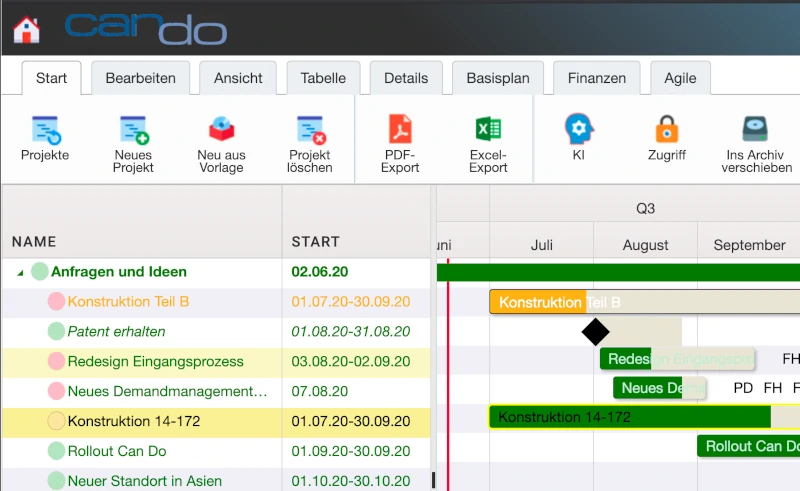
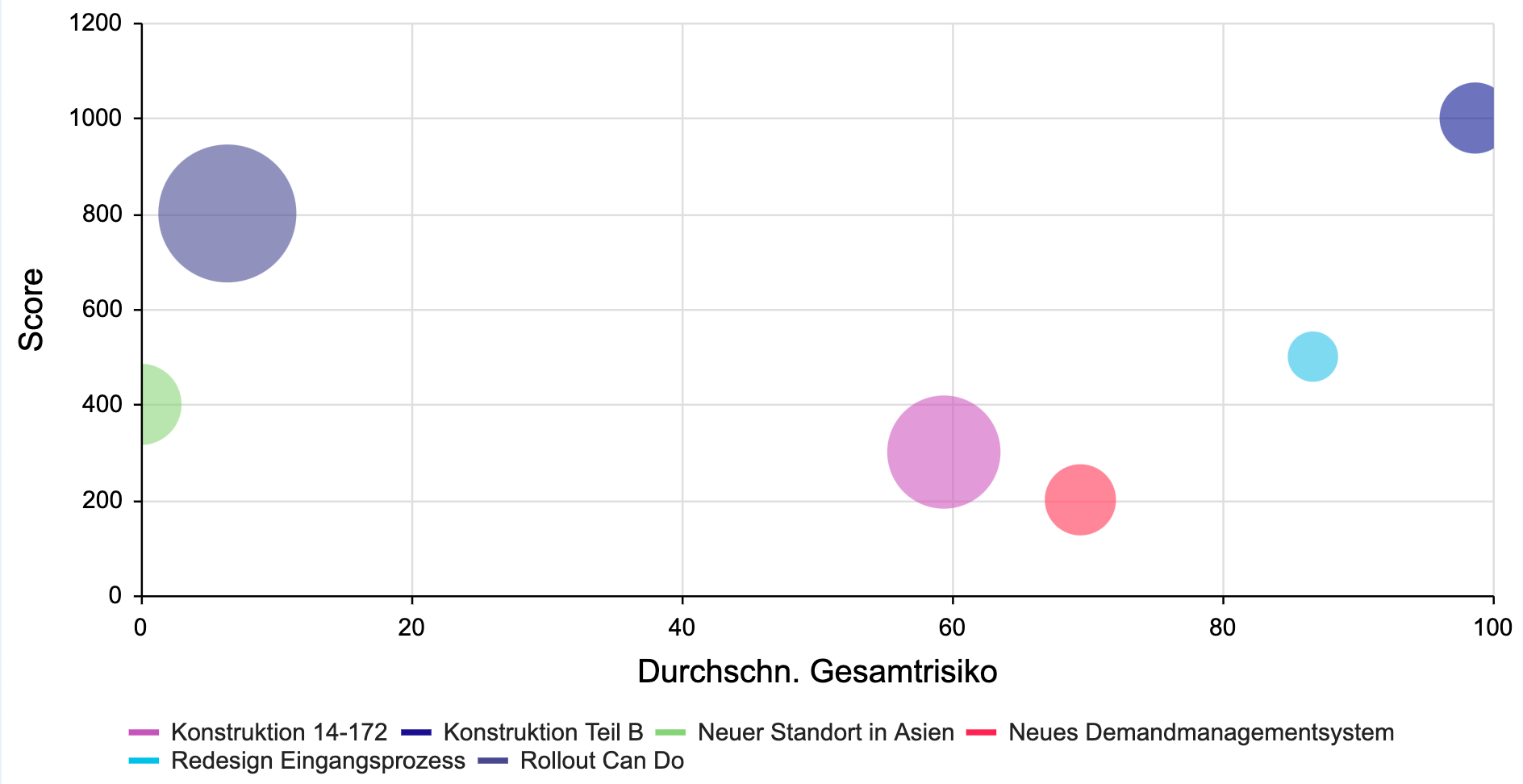
Can Do spielt in Millisekunden unzählige Szenarien durch, bewertet Risiken in Echtzeit und sagt dir, wie du sie eliminieren kannst.
Wir bieten dir praktisches Wissen, Aktuelles zur Software, Trends und Methoden – regelmäßig und kostenlos
Can Do ist ein System basierend auf unterschiedlichen Apps, die je nach Deiner Rolle und Deinen Aufgaben im Unternehmen für dich zusammengestellt werden.
So erhältst du dein ganz persönliches Can Do mit den Funktionen, die du wirklich für deine tägliche Arbeit benötigst.
Mit Can Do kannst du dein Unternehmen zielgerichtet weiterentwickeln


Mit Can Do stellst du eine Software bereit, die alle nutzen wollen


Mit Can Do gewinnst du das Vertrauen deiner Kunden


Mit Can Do schafft ihr zusammen mehr mit weniger Aufwand


Mit Can Do treibst du deine Projekte und deine Karriere voran


Mit Can Do meisterst du deine täglichen Aufgaben ohne Überstunden



Das sagen unsere Kunden über Can Do Projektmanagement Software!

Axel Mattern
Leiter Project Management Office (PMO)
Bertelsmann
Paul-Gerhard Völpel
Head of Engineering
Oerlikon
Luigi Bianco
Projektmanger, PMO
Bankhaus Metzler
Josef Marchner
CIO
HERMA GmbH
Helge Poel
Director Security & Compliance
Lotto 24
Dominic Mosig
Leiter IT Project Management Office
BayWa IT GmbH
Bernhard Schwarzmaier
Partner
Artemis Innovations GmbH
Maic Ungermann,
Mitglied der Geschäftsführung, MSM.digital







Durch die präzise Planung mit Can Do musst du weniger nachjustieren und sparst so effektiv viele Stunden ein, die du für andere Aufgaben aufwenden kannst.